All projects

Flowcraft

A self-guided mindfulness app for iOS and Android, run by a content CMS on AWS that syncs programs, meditations and journaling to the device.

Mobile & CMS

  • typescript
  • react native
  • expo
  • sqlite
  • nodejs
  • mysql
  • aws lambda
  • aws cognito
  • aws s3
  • react
  • primereact
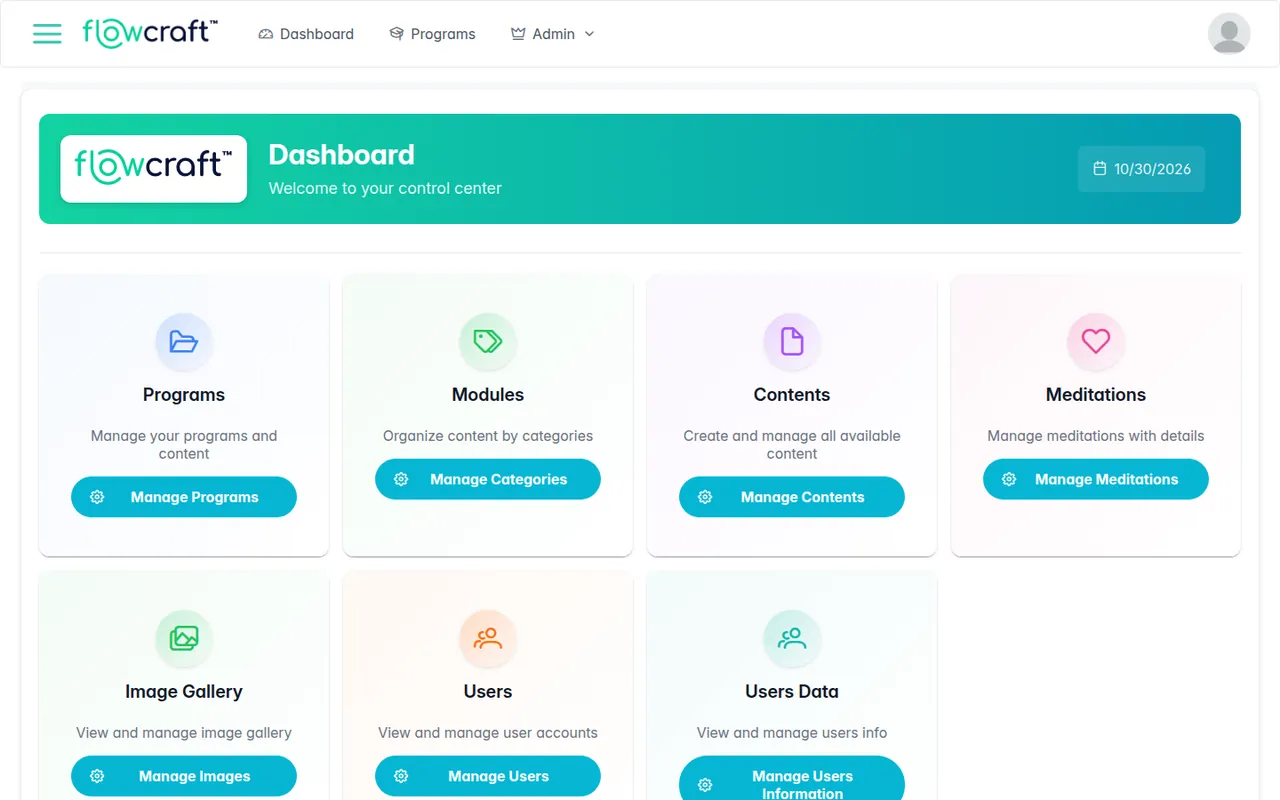
Flowcraft on a laptop
Flowcraft on a tablet
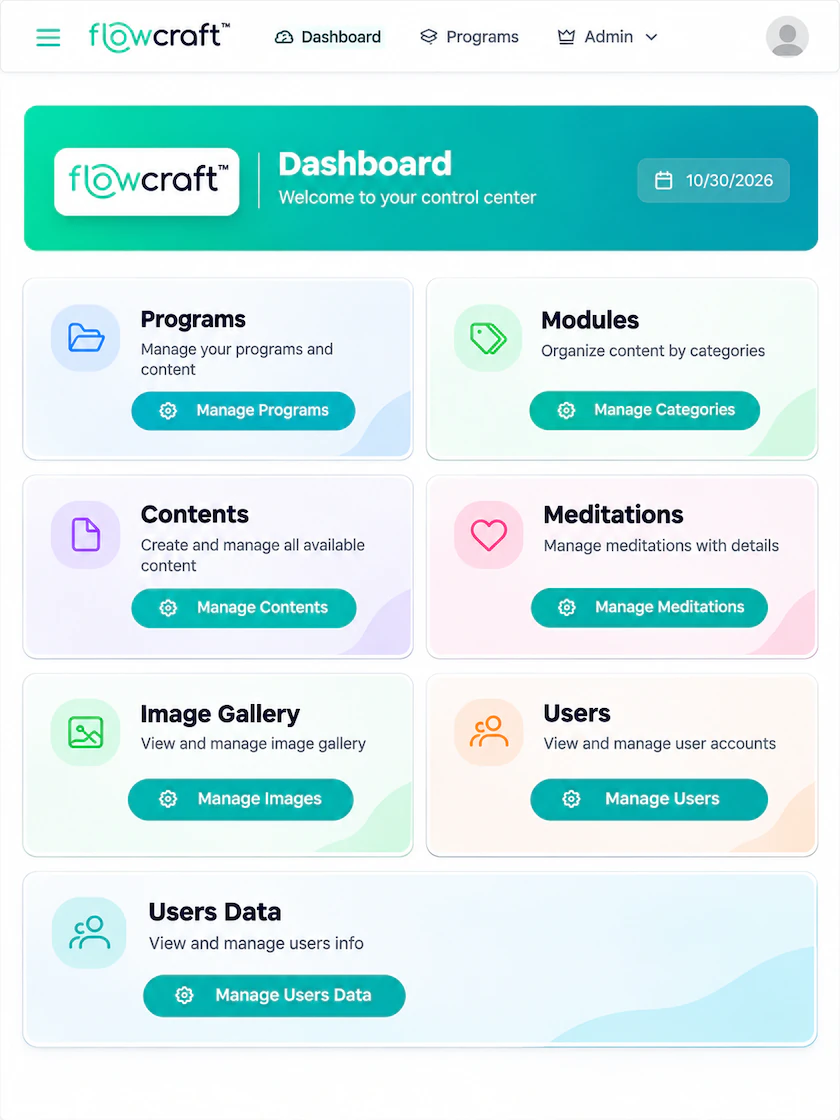
Flowcraft on a phone
The Flowcraft interface.

Overview

Flowcraft is a self-guided mindfulness and personal-development platform for GSI Solutions, built in two connected parts. The mobile app, built with Expo and React Native, takes users through programs of daily meditations, short articles and journaling prompts, and keeps working offline. The CMS is a Node.js API on AWS Lambda with a React admin panel: editors manage programs, modules, content, meditations and images, and the API syncs that content to the app and checks App Store subscriptions. The backend credentials for the original setup have expired, so the screens shown here are reconstructions with sample data. The CMS screens run the real admin code against a local mock API. The mobile screens are mockups built from the app's own styles, layout code and assets.
Screens

Mobile app

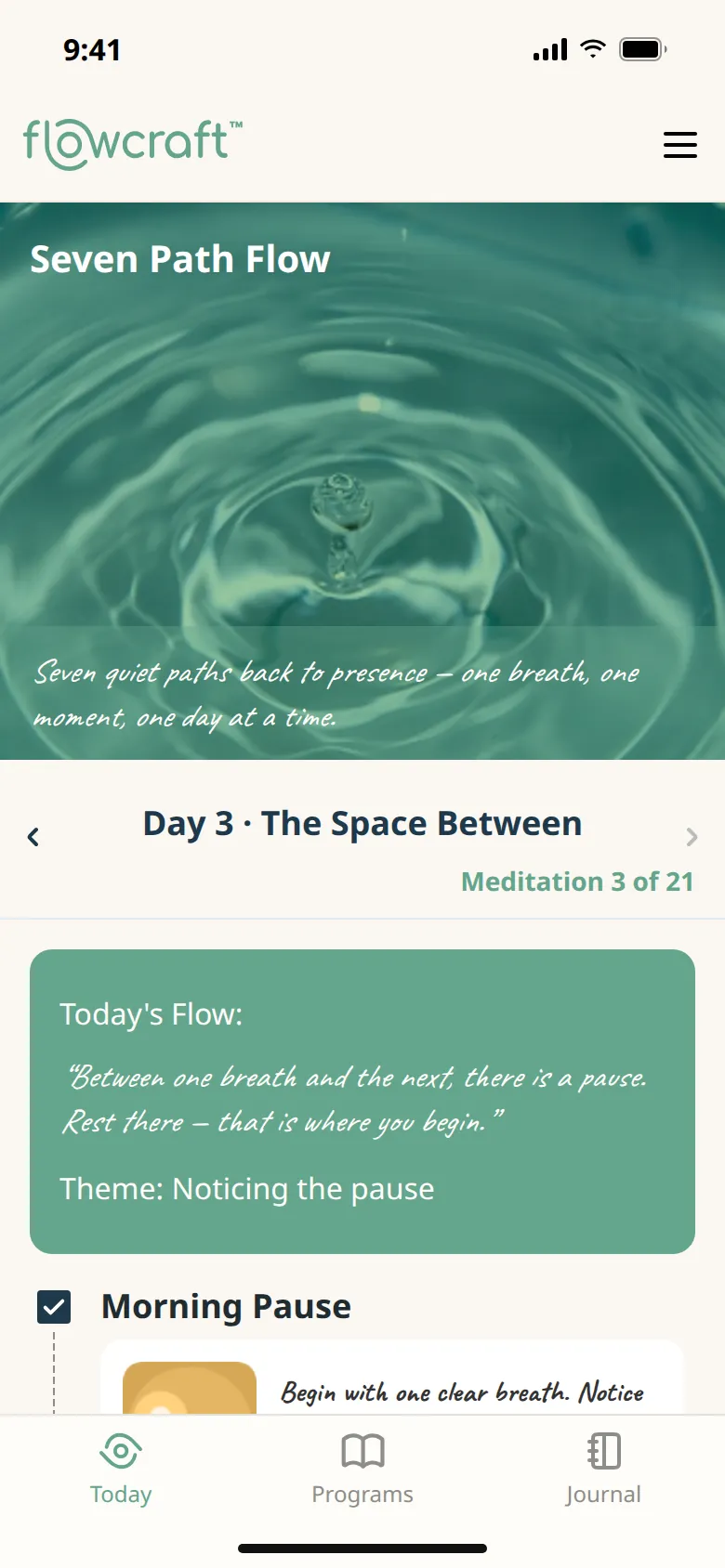
  • Flowcraft, the today screen
    Today The active program, the day's quote and theme, and the meditation for today
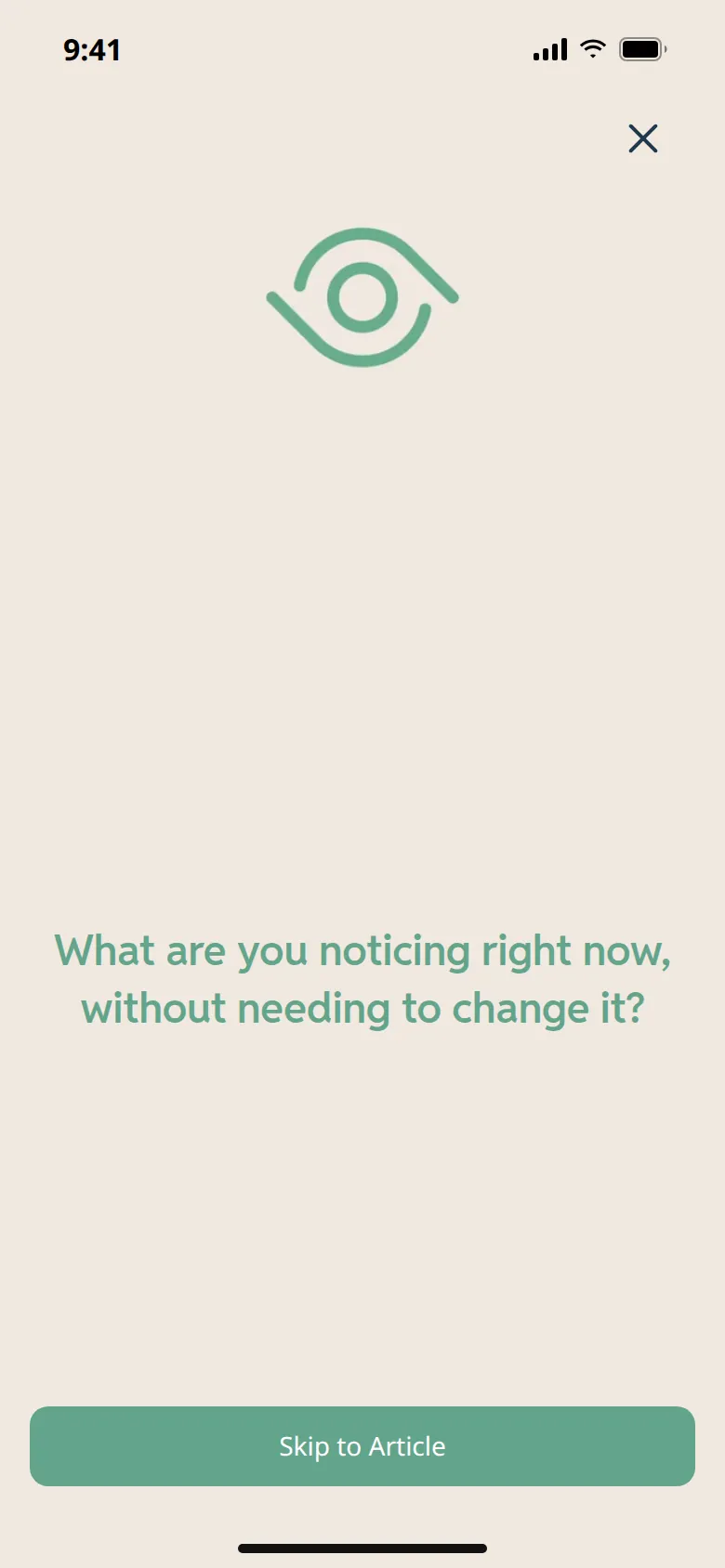
  • Flowcraft, the meditation screen
    Meditation A short video per section, with a self-inquiry prompt near the end
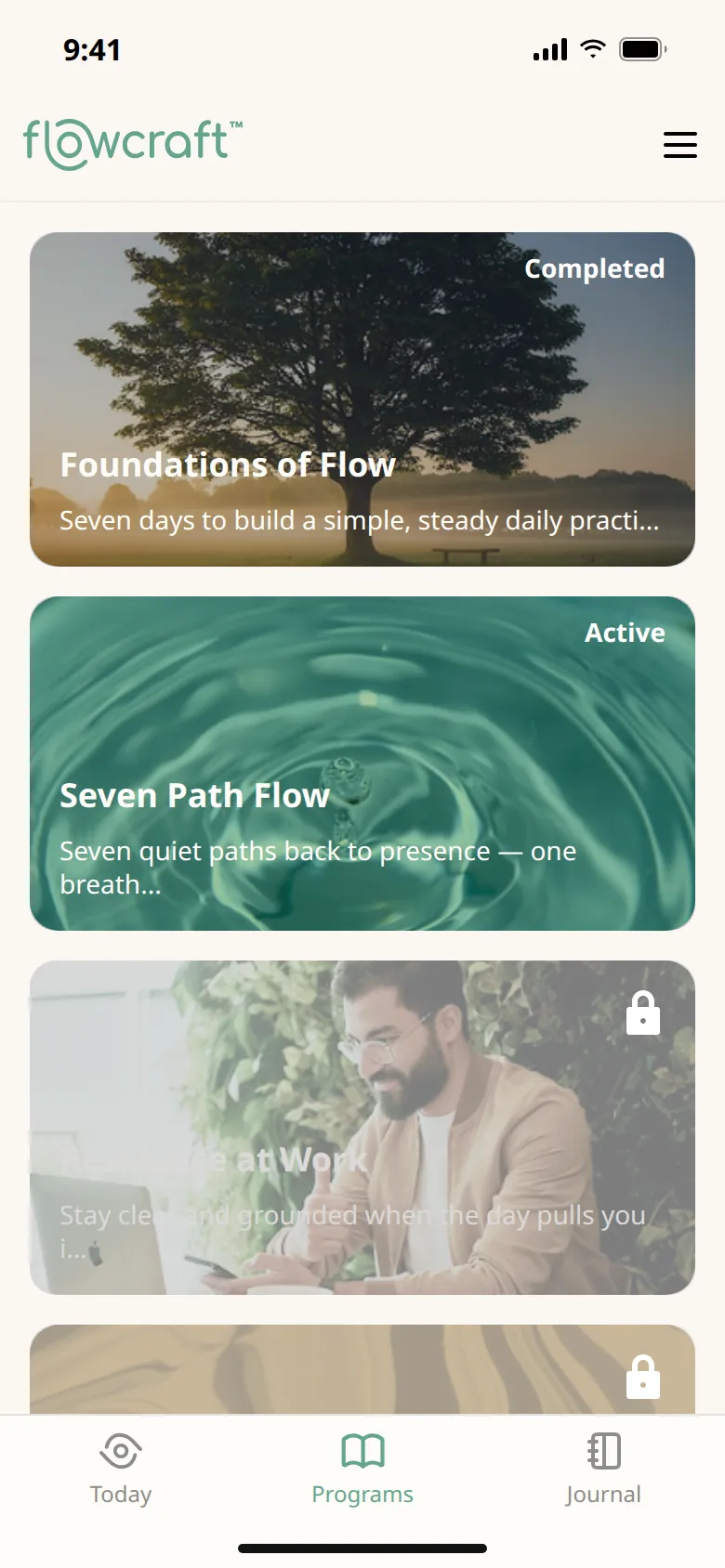
  • Flowcraft, the programs screen
    Programs Programs as banners, marked active, completed or locked
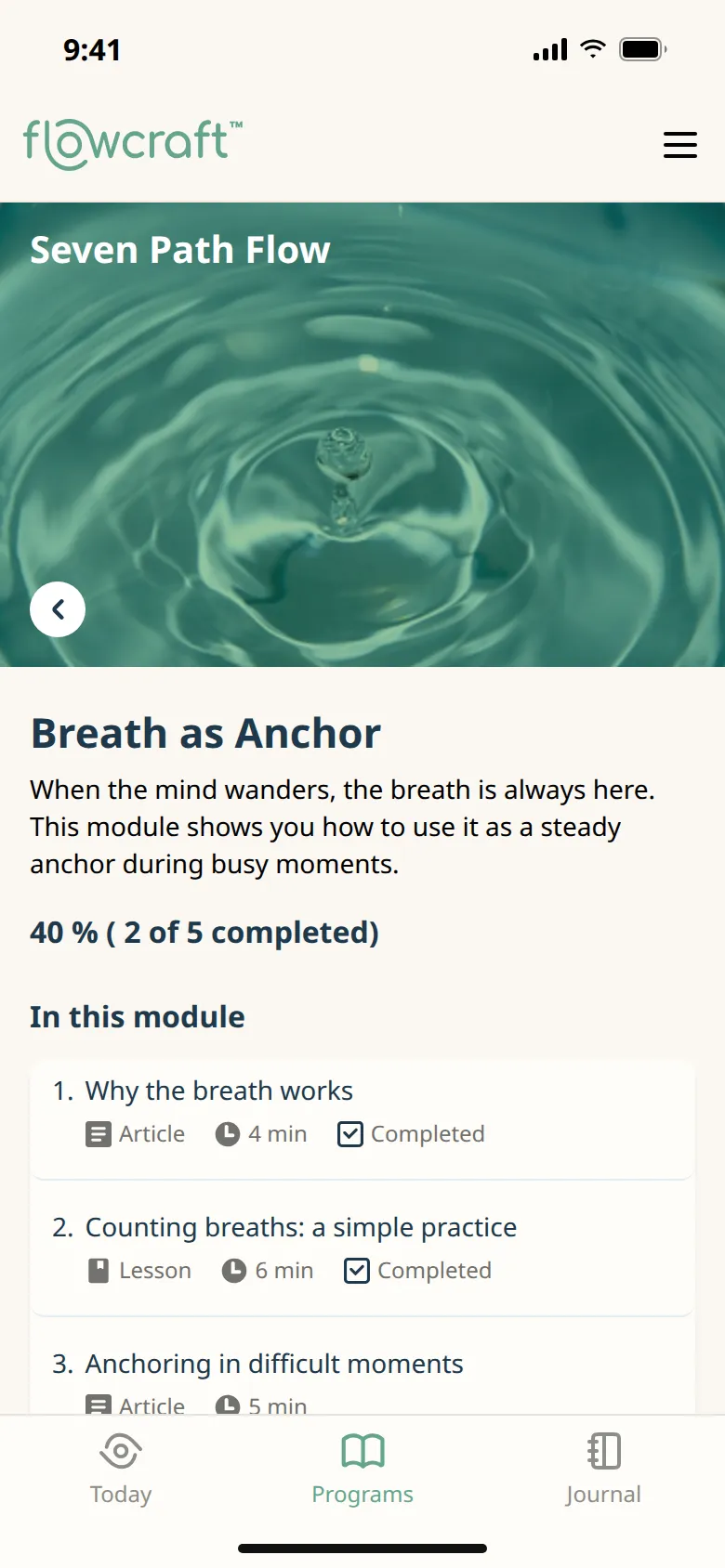
  • Flowcraft, the module screen
    Module Articles and lessons with read time, each unlocking after the last
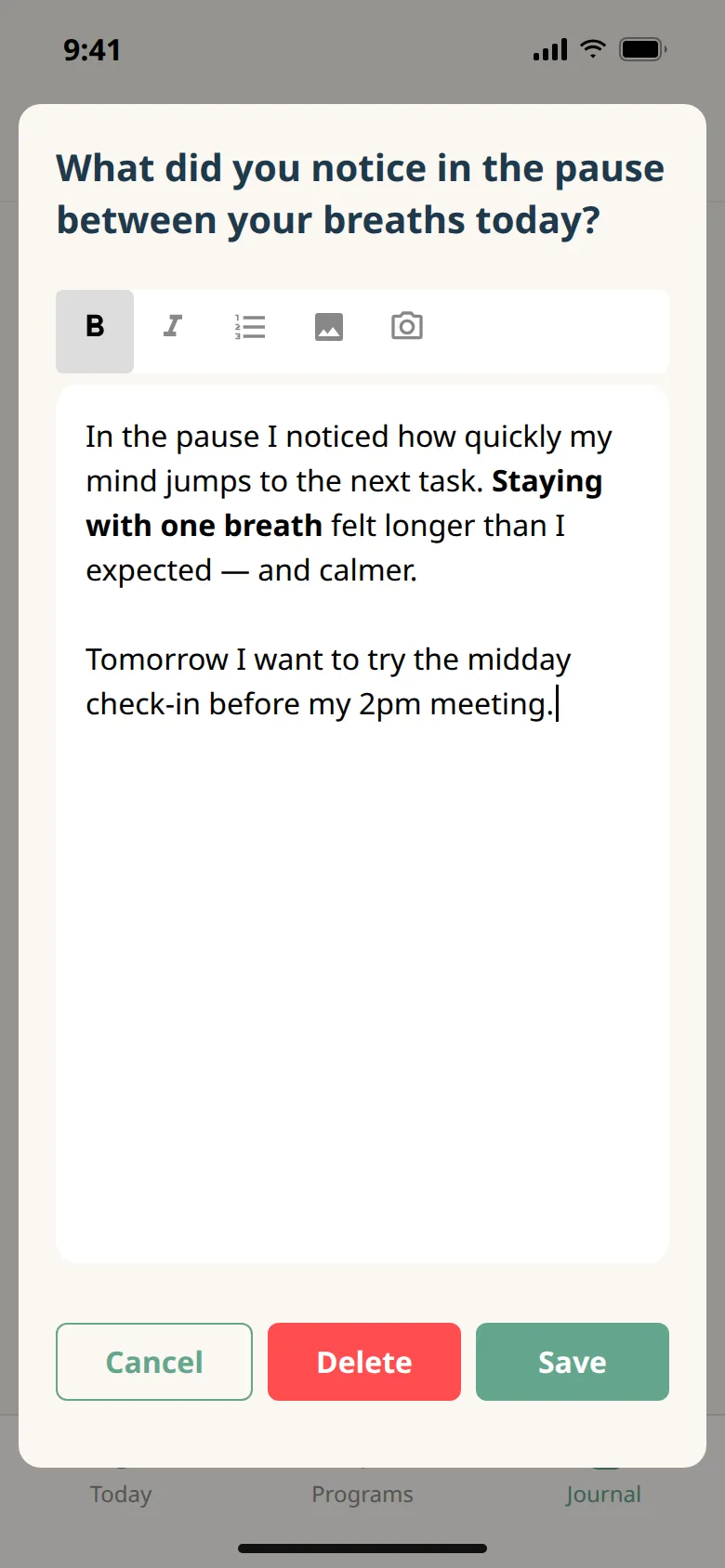
  • Flowcraft, the entry screen
    Entry A rich-text entry answering one of the day's prompts
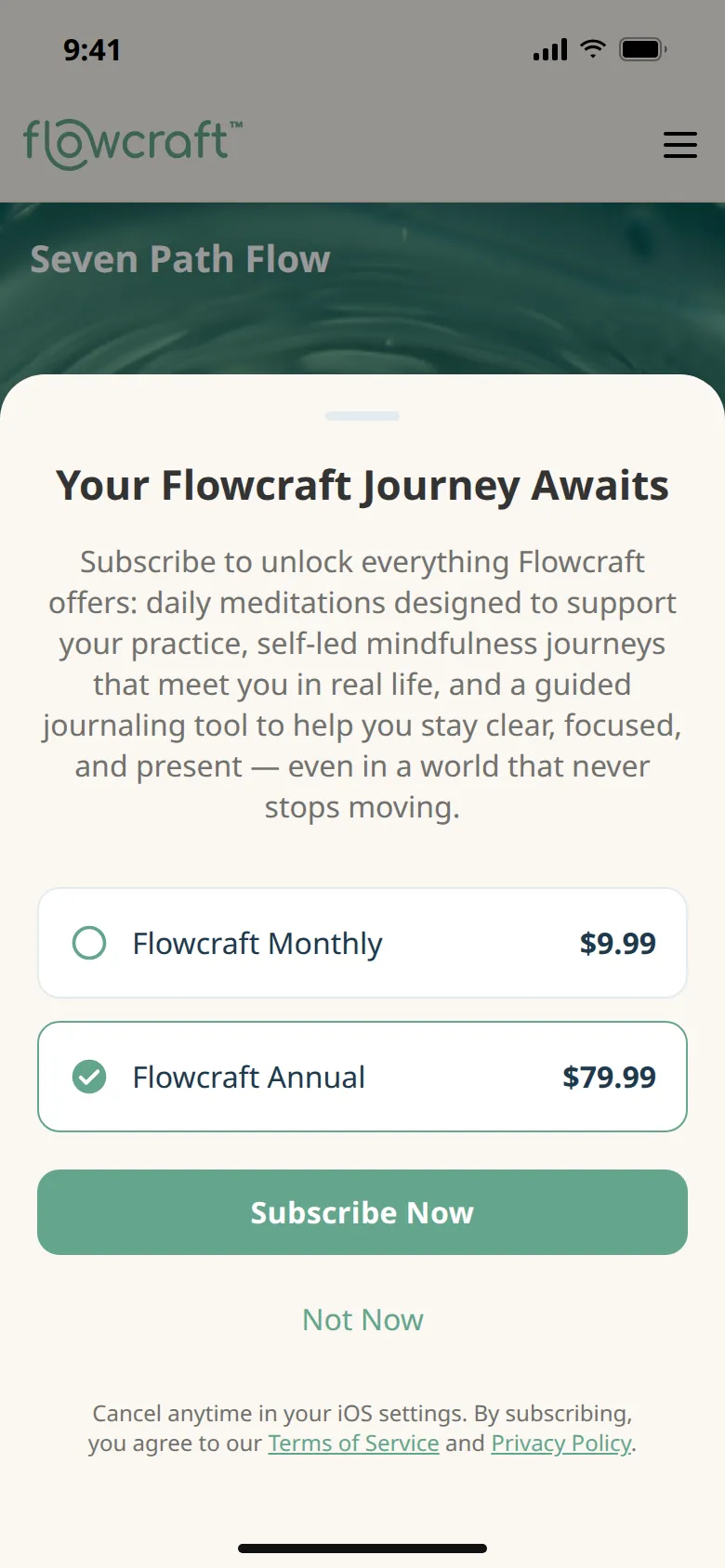
  • Flowcraft, the subscribe screen
    Subscribe Monthly and annual plans through in-app purchase

CMS admin

  • Flowcraft, the dashboard screen
    Dashboard The admin home, one tile for each part of the content
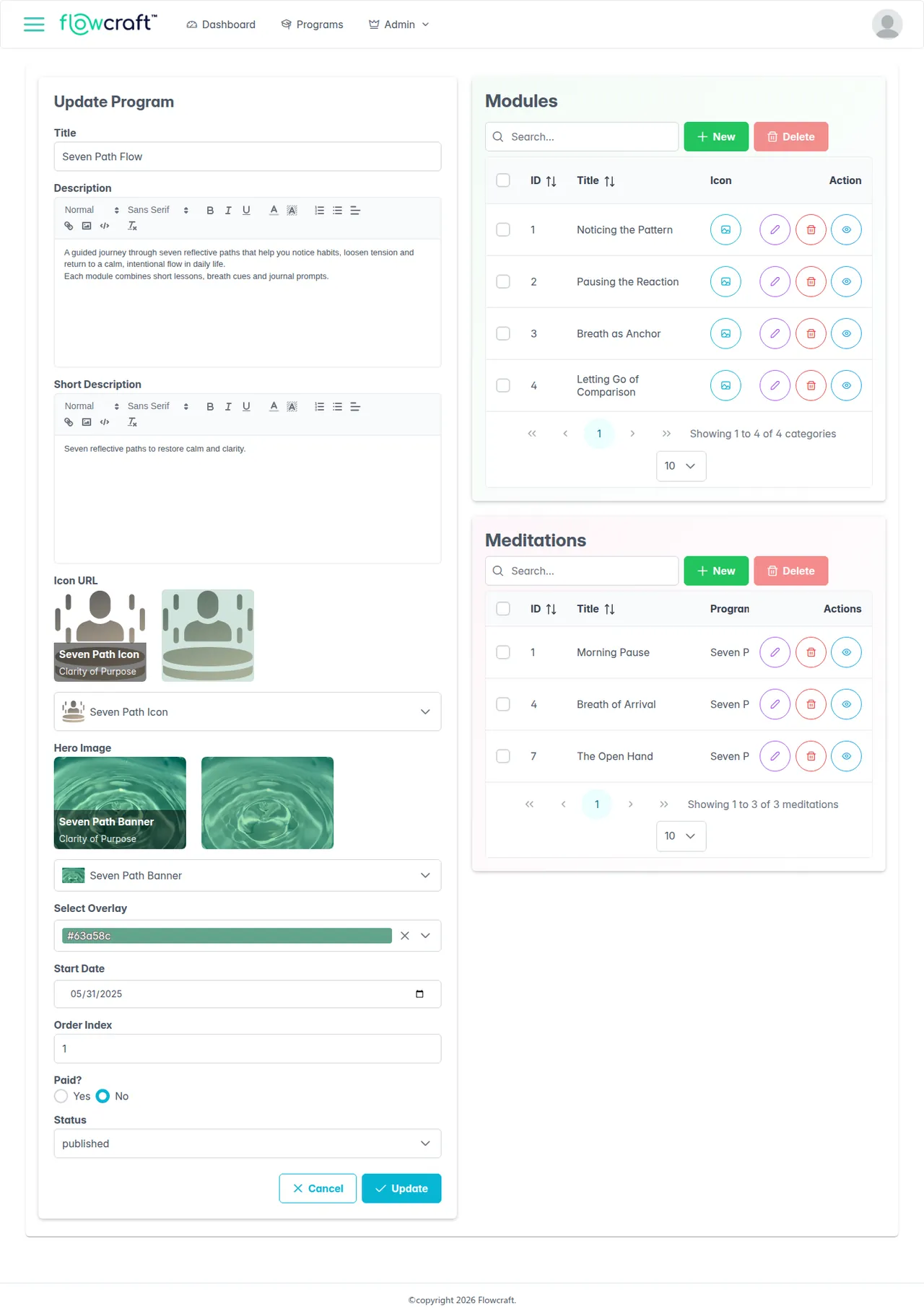
  • Flowcraft, the program edit screen
    Program edit Rich-text fields and image pickers, with the program's modules and meditations beside the form
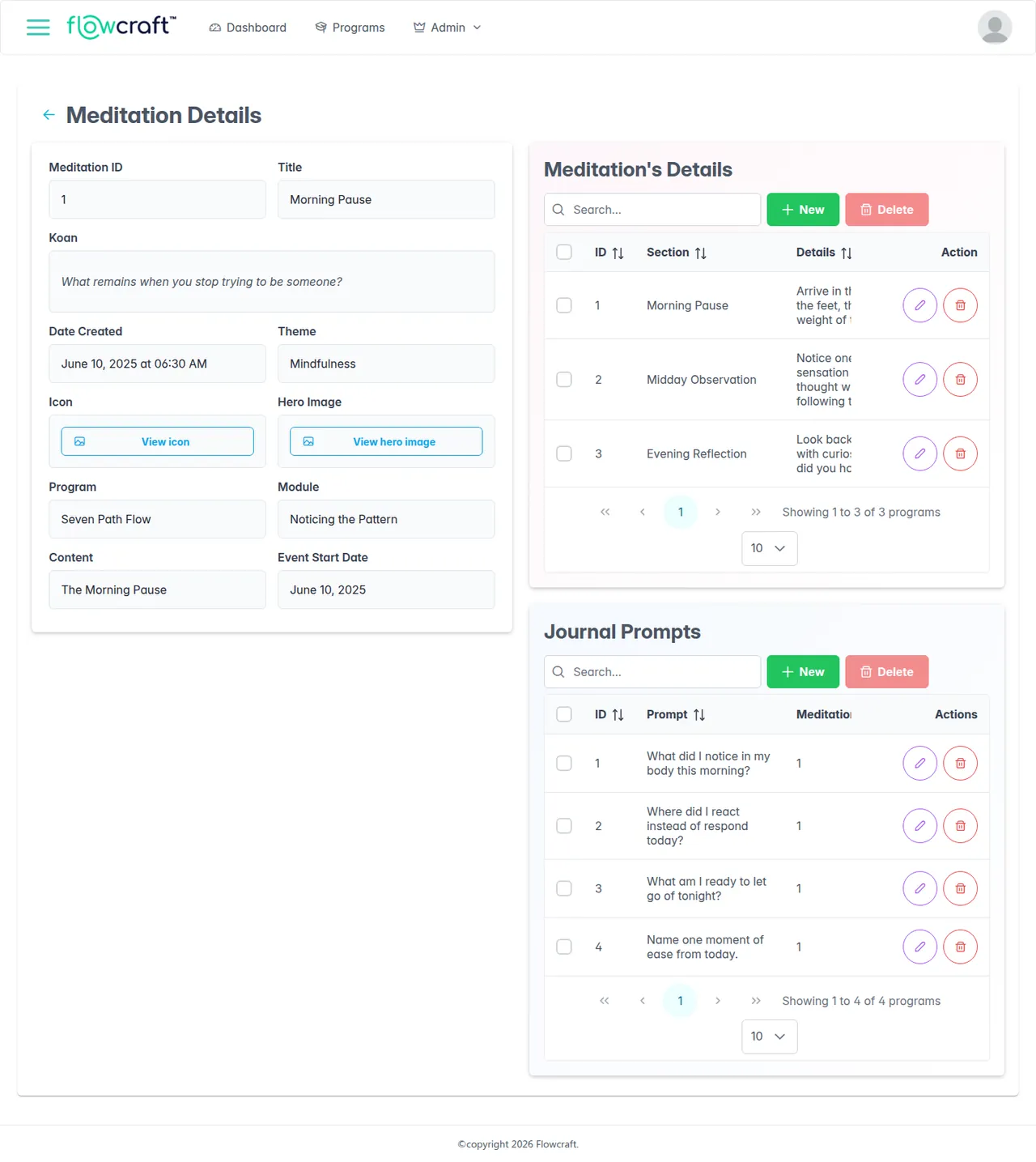
  • Flowcraft, the meditation screen
    Meditation A meditation's koan and theme, its three sections, and its journal prompts
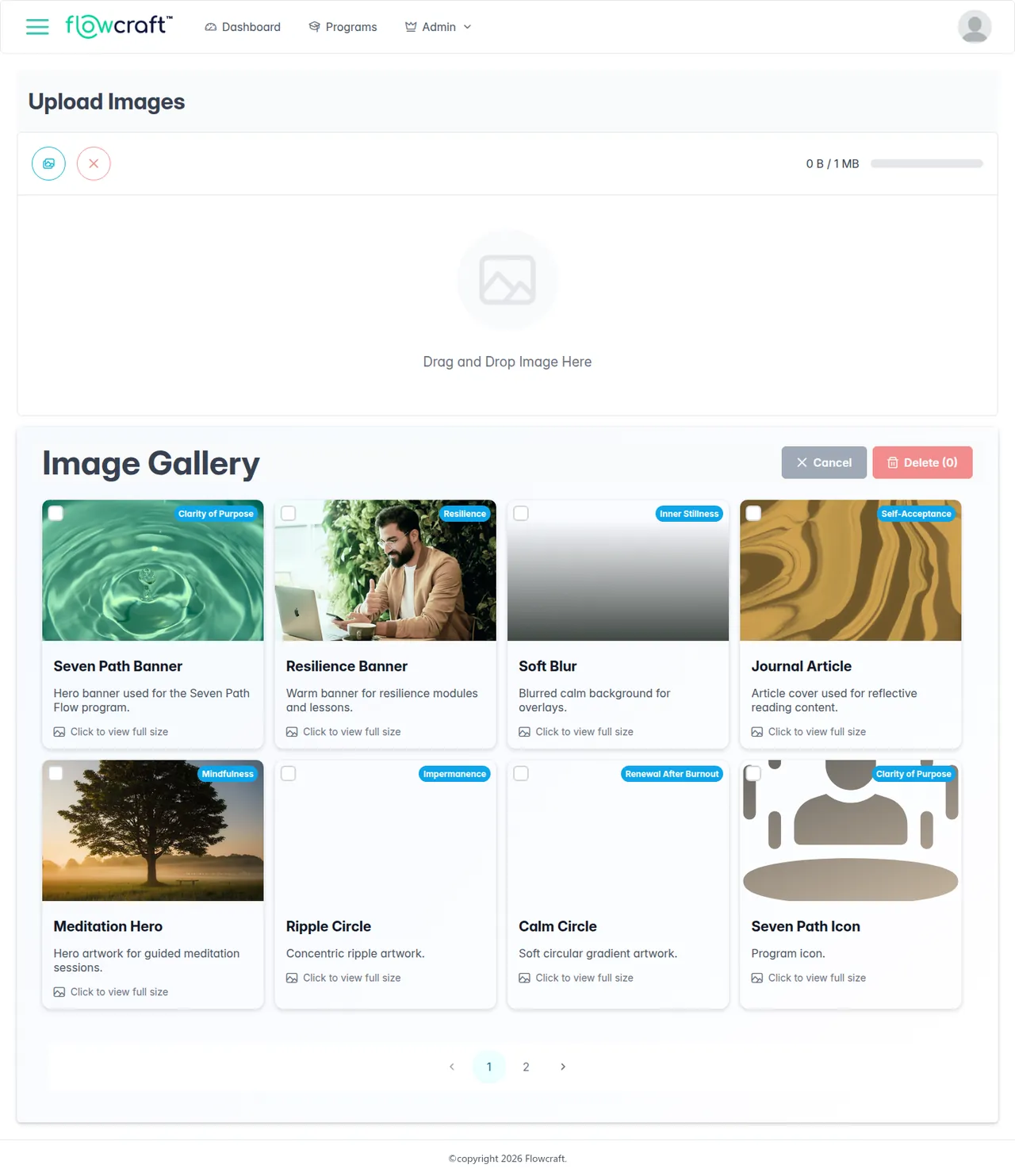
  • Flowcraft, the gallery screen
    Gallery Drag-and-drop uploads up to 1 MB, each tagged with a theme

Key features

  • Today screen shows the active program, a meditation carousel ("Meditation N of M"), the day's quote and theme, and a Morning Pause → Midday Observe → Evening Reflection timeline.
  • Each meditation section plays a short full-screen video, fades in a self-inquiry prompt near the end, then opens the linked article.
  • Programs, modules and articles unlock in order: the next meditation unlocks the following day, and only after every section of the current one is done.
  • Program and module pages track progress, with start, resume and restart, and a confirmation sheet before switching programs.
  • Journal with search, sorting by date or program, and paging; entries are rich text with photos from the gallery or camera, and a prompt is ticked once it has an entry.
  • Daily local reminders at times the user picks on a wheel picker, with a custom wind-chime sound.
  • Monthly and annual subscriptions through in-app purchase, with paid programs and journaling locked until subscribed.
  • CMS manages programs, modules, contents and meditations, with Quill rich-text fields, image pickers that preview the chosen overlay colour, and draft, published and archived states.
  • Meditations carry morning, midday and evening sections, each with breath cues and a self-inquiry prompt, plus their own journal prompts.
  • CMS image gallery with drag-and-drop uploads, staff accounts in AWS Cognito, and an app-users list with CSV export.

Engineering highlights

  • Offline-first sync: one POST /api/getUserData call returns six data sets (programs, modules, content, meditations, sections and journal prompts), and the app reconciles each row with SQLite by its date_updated value.
  • The local SQLite schema updates itself: when the server sends new fields, the app adds the matching columns at runtime with ALTER TABLE.
  • Hero images and icons are cached on the device; unused images are deleted and missing files are fetched again.
  • Paid content is filtered on the server, using the subscription status taken from the App Store JWS the app sends with each sync.
  • Subscriptions are verified with the App Store Server API using ES256-signed tokens, with the older verifyReceipt check falling back to the sandbox when Apple reports a sandbox receipt.
  • The API runs on GSI's in-house Node.js framework on AWS Lambda: routes are declared in routes.json with their allowed role groups and pre-compiled to regex patterns.
  • Role-based access for SuperAdmin, Admin, Author and Publisher is enforced on both the API routes and the admin UI routes; staff sign in through the Cognito Hosted UI.
  • Media goes to S3 and is served through presigned URLs joined into API responses, so the app receives ready-to-use image links.
  • The admin UI is hosted on S3 behind CloudFront, with CI/CD on AWS CodeBuild or Jenkins and database credentials held in Secrets Manager.

Challenges and approach

The app has to work offline, yet editors change content in the CMS at any time.

Each launch syncs every content set in a single request and compares rows by date_updated, writing new or changed rows and deleting missing ones, so the device holds a complete local copy in SQLite.

New CMS fields would otherwise need an app release just to migrate the local database.

The sync adds missing SQLite columns at runtime with ALTER TABLE when the server starts sending a new field.

Paid programs must not reach users who have not subscribed, even through the sync.

The server reads the subscription status from the App Store JWS and leaves paid programs out of the response, instead of relying on the app to hide them.